

Google Maps
Add Google Maps to your property listings with the click of a button. PropertyLine automatically add nearby places such as schools, supermarkets, convenience stores and all the closest train stations on all train lines. This allows your customers to explore the neighborhood with an interactive, immersive map experience.
Deliver an engaging neighborhood experience that reduces setup time and boosts customer confidence with automated mapping and an easy-to-use explorer.
Smart Property Placement
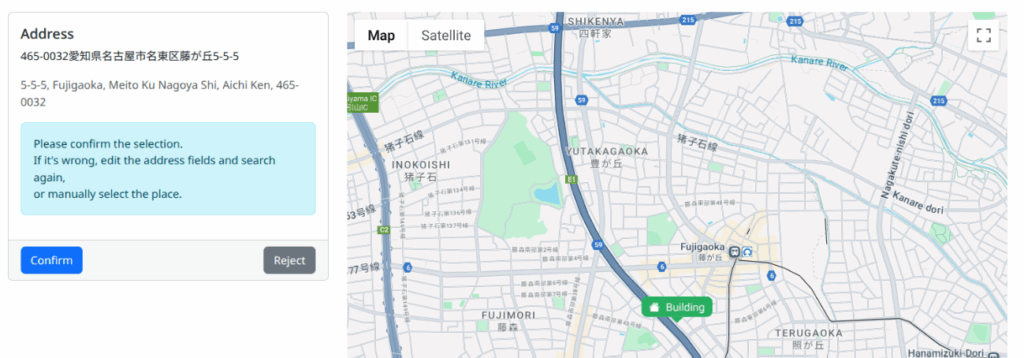
Automatically pinpoint your property from its address, or fine‑tune the exact position with a simple click for perfect accuracy.
Nearby Points of Interest
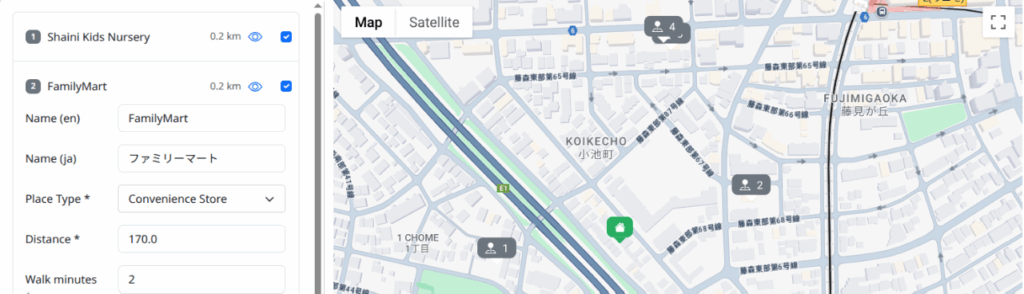
Instantly retrieve nearby points of interest—such as convenience stores, schools, and hospitals—to help customers understand the area at a glance.
Custom Places in One Click
Highlight unique local spots by adding custom places directly on the map, no complex setup required.
Interactive Neighborhood Explorer
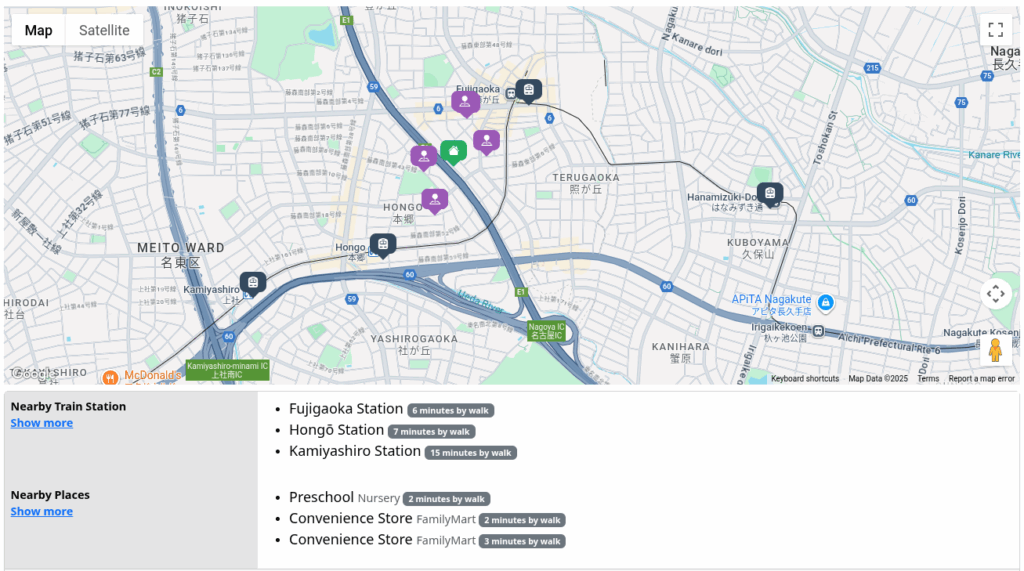
Showcase an interactable map featuring configured points of interest and train stations; customers can pan, zoom, and click to learn more about their future neighborhood.
Map Automations
- Automatically find your property on Google Maps with just the address, or simply click to manually chose the position
- Retrieve a list of nearby point of interests, like convenience stores, schools, hospitals, etc. seamlessly
- Automatically retrieve places’ name, category, distance, etc.
- Manually add new places by simply clicking on the map
Customer Engagement
- Interactable map showing the configured nearby point of interest and train stations
- Customers can pan, zoom and click on the map to get to know their future neighborhood at a glance
- Satellite, street view and full screen zoom available to give a better idea of the surroundings